Peaking or Magnification: Two Ways to Confirm Sharp Focus
Focus peaking and punched-in magnification both catch soft focus, but they answer different questions.
Daniel Brandt · · 6 min read
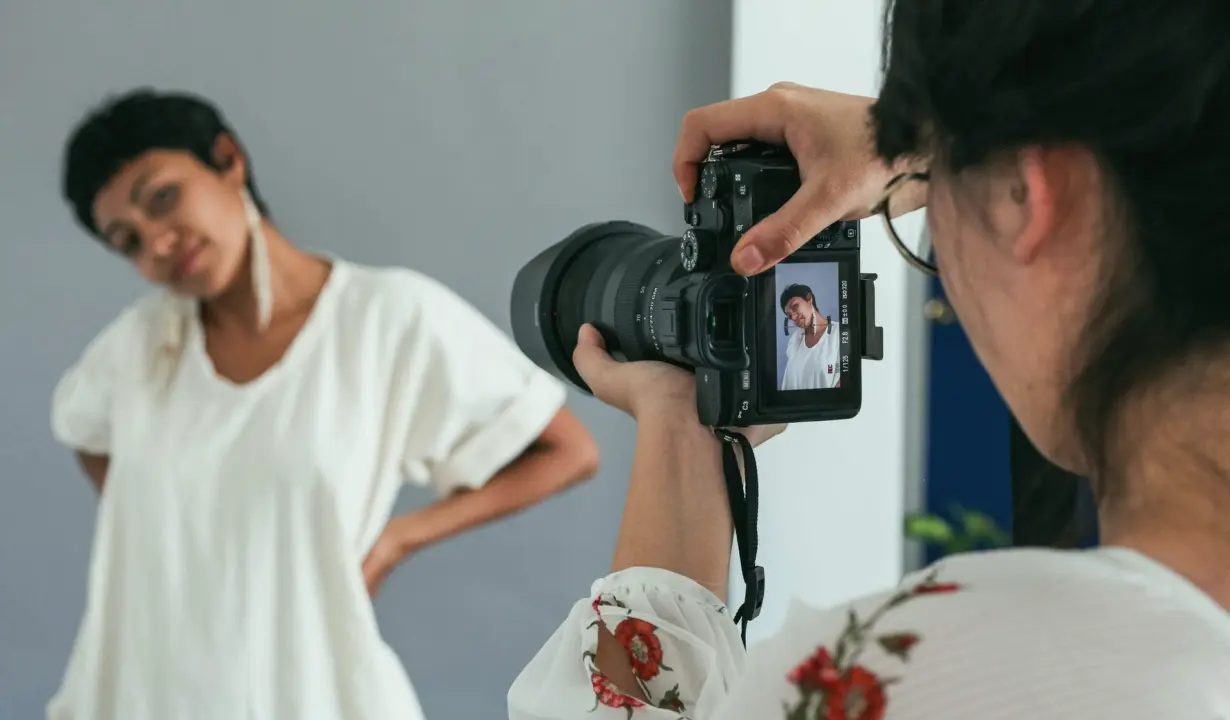
Two tools, two different questions
When we teach focus checking in the second half of the course, learners usually arrive with a favourite. Some swear by peaking, the coloured outline that glows on the edges the camera considers sharp. Others never trust anything except a punched-in, magnified view. Both are reasonable habits, and both fail in predictable ways.
The useful way to compare them is by the question each one answers. Peaking asks, roughly, where in this frame is there contrast that looks like an edge. Magnification asks, is the exact thing I care about, an eyelash, a lapel pin, a line of printed text, actually crisp at the pixel level. One is a quick survey of the whole frame, the other is a close inspection of a single point.
This note sets the two side by side as we use them in the test sessions, then gives a recommendation for studios and event teams who cannot spend long on every setup.
What peaking does well, and where it misleads
Peaking is fast. You can leave it on while a subject moves, while you reframe, or while you walk a second camera into position, and it keeps giving feedback without interrupting your view of the composition. On a busy event floor that continuous glance is its greatest strength, because you never lose the shot to check the shot.
Its weakness is that it reacts to contrast, not to truth. A high-contrast background, a patterned shirt, or a bright edge of hair against a dark wall can light up even when the eyes are slightly soft. Sensitivity settings also differ between camera models, so an outline that looks reassuring on one body may be too generous on another.
In the sessions Priya runs, learners photograph the same target with peaking set to low, medium and high, then review the results at full size. The gap between what the outline promised and what the file delivered is the most convincing part of the exercise.
- Quick, continuous and unobtrusive during a live shot
- Reacts to edge contrast, so busy backgrounds can fool it
- Colour and sensitivity vary between camera models
What magnification does well, and what it costs
Magnification, often called punch-in or focus assist, enlarges a small region of the frame so you can judge focus on the detail that matters. It is slower and it interrupts your view of the composition, but it is much harder to fool. If the eyelash is sharp in a magnified view, it is sharp.
The cost is time and attention. With a single operator and a moving subject, punching in means briefly losing the wider frame, and on some cameras the zoomed view is not available while recording. That is acceptable for a seated portrait or a locked-off interview, and awkward for a procession or a stage walk-on.
Magnification also depends on where you place the box. Learners often check the nearest sharp-looking object rather than the real point of interest, so we ask them to name the target aloud before they zoom in. It sounds trivial, and it removes a surprising number of soft frames.
A comparison on the same subject
In a typical exercise, two cameras of different models face the same seated subject at an identical distance and aperture. One operator relies on peaking alone and the other uses magnification, and both set focus on the near eye. Afterwards we open the files side by side at full resolution.
The result is rarely a clean win. Peaking tends to land close, within a hair of the ideal plane, while magnification lands precisely but takes longer. Where the lens is wide open and depth of field is thin, that small difference decides whether the second eye falls off softly or looks careless.
What the comparison teaches is that neither tool replaces knowing your depth of field. A learner who understands how little margin f/1.8 leaves will use magnification without being told. A learner shooting at f/5.6 can usually trust peaking for the first frames and verify with a single punch-in.
- Peaking: close, quick, good for movement
- Magnification: exact, slower, good for fixed targets
- Wide apertures raise the stakes for both
Our recommendation for small teams
Use both, in a fixed order. Set peaking to a level you have tested on that specific camera, and use it to find and hold focus while you frame and light the scene. Then, before the subject settles or the recording starts, punch in once on the point that matters and confirm it. During the shoot, return to peaking for continuous monitoring and repeat the punch-in whenever the subject, the distance or the aperture changes.
If you must pick one, choose magnification for portraits, product work and seated interviews, where the subject holds still and accuracy is worth a few seconds. Choose peaking for moving subjects and live events, where you cannot afford to lose the frame, but add a printed test target shot at the start so you know how far to trust the outline.
Whichever you choose, write the peaking level and your checking routine in the handover notes, so the next operator does not have to rediscover it.
Making the check repeatable across cameras
The moment you run two or more cameras, the comparison above becomes a team question. Peaking that looks right on one body may be generous on another, so each camera gets its own tested setting rather than a shared guess. We have learners shoot a simple target on every body and record which peaking level matches what the file actually shows.
Repeatability is the aim. A checking routine that one person performs from memory is fragile, while a short written sequence is something a colleague can follow on a busy morning. Name the target, name the magnification level, name the moment at which you check, and agree who confirms it.
That is also why the module ends with a test session rather than a lecture. Learners bring their own cameras, run the routine under real conditions, and leave with a version of it that fits the gear they actually use.
- Test peaking separately on every camera body
- Name the target before you punch in
- Record the routine so a colleague can repeat it
Peaking and magnification are partners, not rivals: one surveys, the other verifies. For most small studios and event teams the dependable pattern is peaking to find and hold focus, a single punch-in to confirm it, and a written note of the settings you trusted. Practise the pairing on your own cameras this autumn, before the busy season of events and portrait days arrives.
You may also like
Six Mistakes in Setup Reviews and Handover Notes, and Fixes
Most trouble on a multi-camera day traces back to a rushed review, a skipped test session or vague handover notes. Here are the mistakes we see most and how to avoid each.
Why Do Two Cameras Never Quite Match, and What Can Be Done?
The question we hear most: why does footage from two camera models look different even with the same settings? Daniel Brandt answers it step by step, from skin tones to contrast.
Choosing Frame Rate and Shutter Settings Before the First Camera Rolls
The tools and methods we rely on to settle frame rate and shutter angle for a delivery format, then lock them identically on every camera so the footage cuts together.
Get in touch
- Call us
- (402) 734-1110
- hello@starvixel.com