Why Do Two Cameras Never Quite Match, and What Can Be Done?
The question we hear most: why does footage from two camera models look different even with the same settings? Daniel Brandt answers it step by step, from skin tones to contrast.
Daniel Brandt · · 6 min read
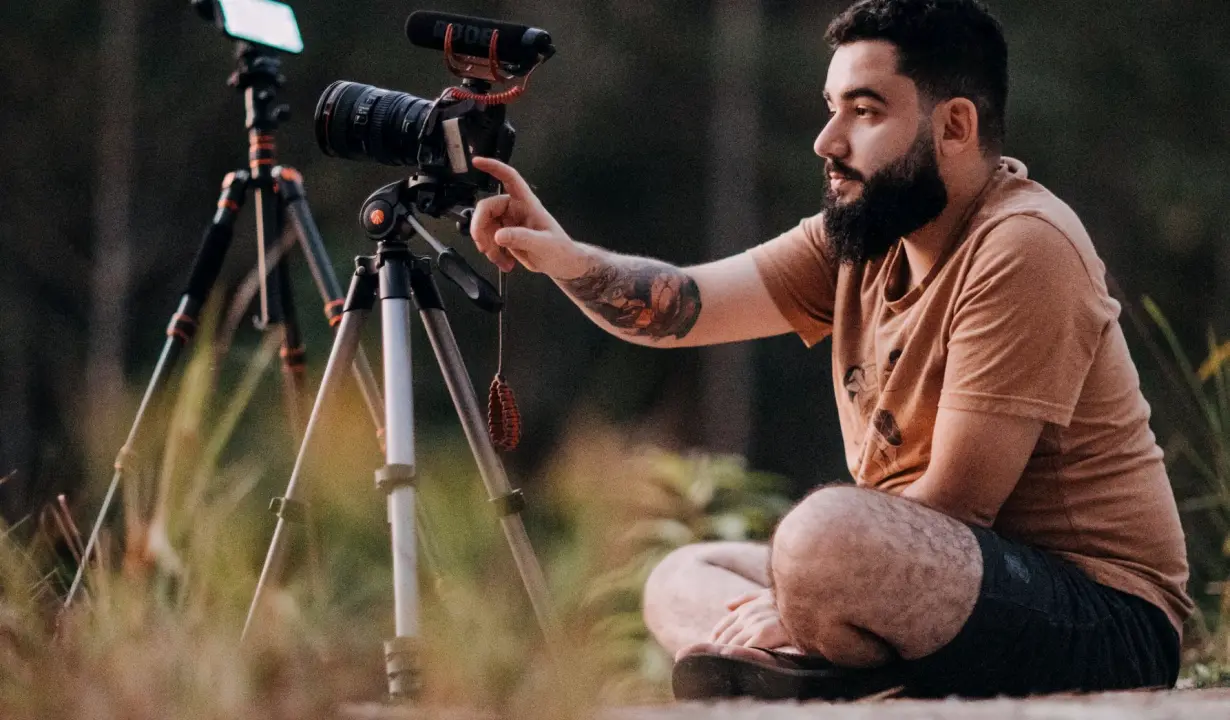
The question behind most enquiries
Almost every client who contacts us asks some version of the same thing: both cameras are set to the same white balance, the same shutter and the same aperture, so why does one frame look warmer, flatter or more contrasty than the other? It is a fair question, and the honest answer is that identical numbers do not produce identical pictures when the sensors and processing differ.
Each camera model turns light into an image through its own sensor response, its own colour science and its own default contrast curve. Two bodies from different makers can disagree on skin tone even when a grey card reads neutral on both. In the Matching Multiple Cameras module we start from this fact, because once learners accept it, the work becomes a method rather than guesswork.
This article takes that one question and answers it in the order we teach it: what differs, what you can compare, what you can change, and where to stop. It is written for small studio owners and event videographers who run two or more cameras and want footage that cuts together without a visible jump.
Where the differences come from
Three things usually separate two cameras. The first is colour rendering: how the camera maps reds, greens and blues, which shows most clearly in skin. The second is the tone curve: how quickly shadows lift and highlights roll off. The third is the picture profile or style applied in camera, which can quietly add sharpening, saturation or contrast on top of the sensor's output.
Lenses add a fourth layer that people forget. Two lenses at the same focal length can carry a slight tint or different contrast, and a lens set to what the barrel calls f/2.8 may transmit a little less light than its neighbour. These small gaps add up to a visible mismatch on a cut from one angle to the next.
None of this means one camera is wrong. It means each one needs to be brought toward a shared target, and the first step is deciding what that target is before touching a single menu setting.
- Colour rendering of skin tones
- Tone curve in shadows and highlights
- Picture profile and in-camera sharpening
- Lens tint and light transmission
Compare side by side before you change anything
The most useful habit we teach is to look at both cameras together before adjusting either. Place a grey card and a simple colour reference in the scene, record the same subject from the same position with each camera, and put the clips next to each other on one monitor. Differences that hide when you view clips one at a time become obvious in a split view.
Pay attention to three areas in particular: a face under your actual lighting, a neutral grey patch, and the darkest part of the frame. Skin shows colour disagreement, grey shows white balance error, and the shadow area shows how each camera handles contrast. Write down what you see in plain words, such as camera B is warmer and lifts blacks more.
Learners often want to jump straight to settings. Resist that. A short written comparison gives you a reason for every change you make later, and it becomes part of the handover notes your team can follow on the next job.
Bringing skin tones and contrast into line
Once you know how the cameras differ, start with the settings that cost nothing: use the same picture profile family on both, switch off in-camera sharpening and noise reduction that behave differently, and set white balance with a grey card in the real light rather than relying on presets. Then check exposure with the same tool on each camera, a histogram or waveform, so brightness is judged by measurement and not by eye.
Skin tone is the final test. Choose one person as a reference and look at the cheek and forehead on both clips. If one camera leans magenta or green, adjust its white balance tint a little rather than changing the whole colour mode. If contrast differs, reduce the contrast setting on the harsher camera instead of lifting the other.
Make one change at a time and re-record a few seconds after each. It feels slower, but it prevents the common trap of correcting the same fault twice and ending up further from the match than when you began.
- Same picture profile family on every body
- Grey card set in the real lighting
- Waveform or histogram on each camera
- One adjustment, then a short retest
When a perfect match is not the goal
Clients sometimes expect two different models to look indistinguishable. In practice a close match is the realistic outcome, and it is usually enough. The aim is that a viewer does not notice the cut, not that a colourist cannot find a difference on a scope. Chasing the last small gap often costs more time than the shoot itself.
Know your limits in advance. A camera with a much narrower dynamic range will clip highlights where its partner holds detail, and no setting fully fixes that. In those cases we suggest giving the weaker camera a safer role, such as a tighter shot in controlled light, and keeping the stronger one for the wide angle with difficult contrast.
Deciding this during preparation, not mid-event, is part of what an agreed production workflow means. It keeps the day calm, because everyone already knows which camera does which job and how close the match needs to be.
Recording what you decided
A match that lives only in one person's memory disappears the next time the cameras come out of the bag. At the end of every matching session we ask learners to write down the picture profile, white balance method, exposure reference and any tint or contrast offsets used on each camera, along with the lens and the lighting it was done under.
Keep the notes short enough that a colleague can follow them in a few minutes. A table with one row per camera works well, with a line below it describing the reference person or card used. Attach a pair of frames from the test so the next operator can see what the target looked like.
These notes feed directly into the review and handover work covered elsewhere in the course. The point here is simple: matching is repeatable only when it is written down, and repeatability is what turns a good result on one shoot into a reliable result on every shoot.
Two cameras look different because their sensors, tone curves and profiles differ, not because your settings are wrong. Compare footage side by side, align profiles and white balance with a grey card, adjust one thing at a time, and accept a close match as the realistic goal. Then write down what you chose, so the next shoot starts from a known position instead of from scratch.
You may also like
Warm Tungsten, Cool Windows: How Dana Fixed Her Studio Colour
A portrait studio owner called Dana kept fighting orange skin tones under mixed light. This short case shows how a grey card and a repeatable routine settled it.
Frame Rates and Shutter Settings to Lock In Before the Winter Season
Priya Natarajan explains how to choose frame rates and shutter settings for the darker months of indoor events and studio work, and how to keep every camera on the same plan.
Matching Multiple Cameras: What the Autumn Course Intake Will Practise
A look at how the matching module now runs in the studio: side-by-side footage from different camera models, with skin tones and contrast brought into line before the handover notes.
Get in touch
- Call us
- (402) 734-1110
- hello@starvixel.com